AI Diwali Photo Generator
Turn your selfie into a Diwali festival portrait. Upload one clear photo of yourself, pick a look and see yourself dressed for the festival of lights, with glowing diyas, a colorful rangoli or fireworks over the rooftops.
For adults 18 and over only.
Make your photo
Sign in with Google, upload one photo of yourself, pick a look and see your preview. Your first preview is free: low resolution, with a watermark. Free previews are limited each day.
For adults 18 and over only. Photos and results are deleted automatically within 24 hours, so download the ones you want to keep.
Loading the photo maker...
We could not load the photo maker. Please reload the page and try again.
Sign in with Google to make your photo. Your first preview is free while today's free previews last.
Sign in with GooglePlease keep this page open.
Your photos
Photos are kept for less than 24 hours.
Get more photos
Each credit makes one photo, full-size with no watermark.
- Credits never expire.
- If a photo fails or is blocked, you are not charged: the credit comes straight back.
Pick a look
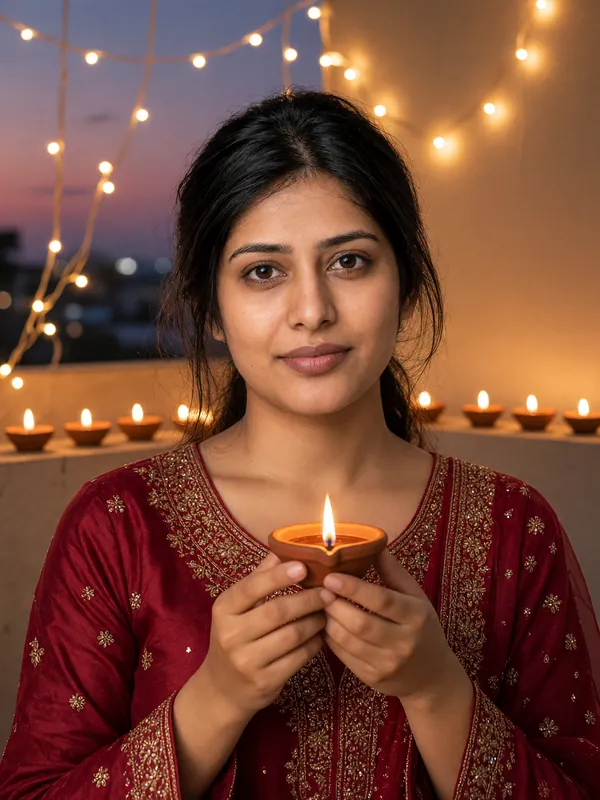
Example result Diya glow
You in a festive Indian outfit on a balcony at dusk, holding a lit clay diya, with fairy lights and a row of glowing diyas behind you.
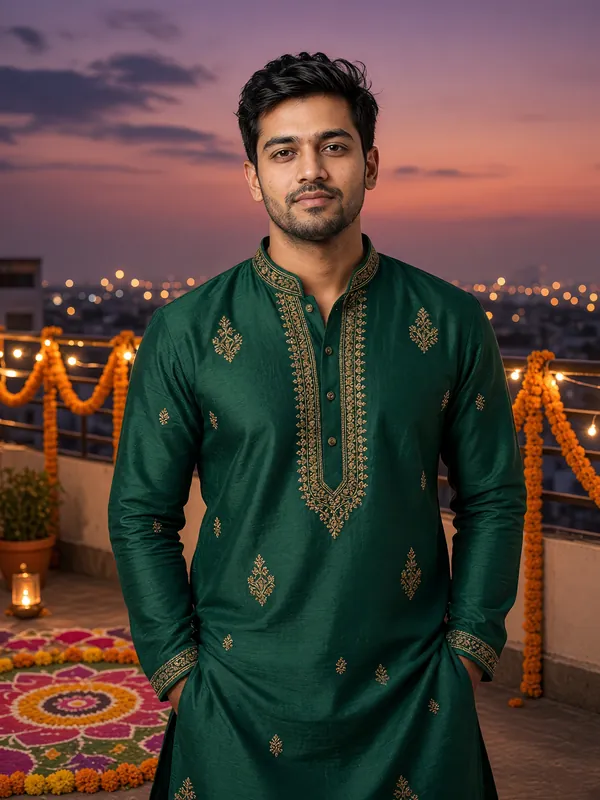
Example result Rooftop rangoli
You in a rich, jewel-toned outfit beside a colorful flower-and-powder rangoli on a rooftop terrace, with marigold garlands and warm lights at dusk.
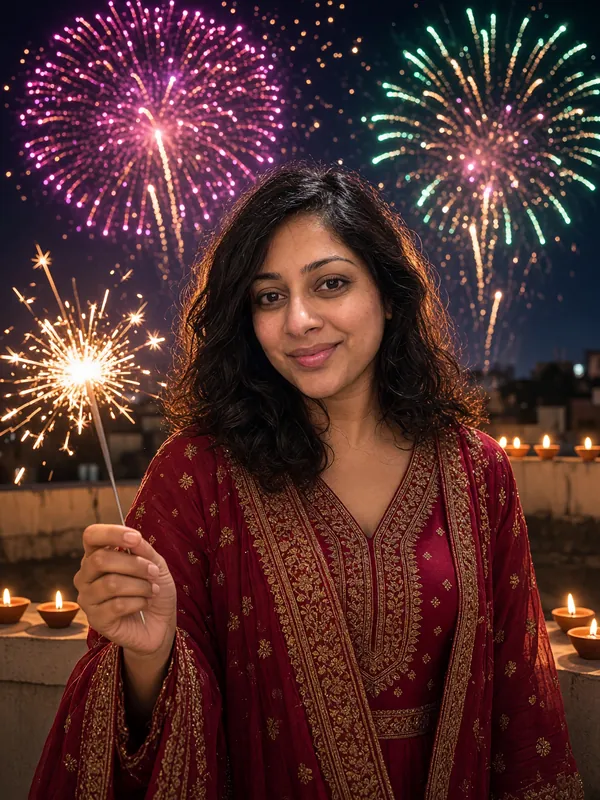
Example result Rooftop fireworks night
You on a rooftop terrace holding a sparkler, with small diyas along the wall and fireworks bursting in the night sky.
How it works
- Sign in with Google.
- Upload one clear photo of yourself, confirm you are 18 or over and pick a look.
- See your preview. The first one is free: low resolution, with a watermark.
- Buy credits to get photos with no watermark that you can download.
Pricing
Buy credits once and use them whenever you like. There is no subscription.
50 credits
$9.99
50 credits = 50 Diwali photos
About $0.20 per photo
160 credits
$29.99
160 credits = 160 Diwali photos
About $0.19 per photo
- Credits never expire.
- If a photo fails or is blocked by our safety checks, your credit goes straight back to your balance.
- Photos you pay for have no watermark and can be downloaded.
- Your first preview is free: low resolution, with a watermark. Free previews are limited each day.
Frequently asked questions
Who can use AI Diwali Photo?
Adults only. You must be 18 or over, and you can upload only a photo of yourself or one you have the right to use. Photos that appear to show anyone under 18 are rejected, and so are photos with no face or with more than one person. A rejected photo does not use up a credit.
What kind of photo works best?
A clear, well-lit selfie of one adult looking at the camera. Group photos and photos where your face is hidden are not accepted.
Can I try it for free?
Yes. Sign in with Google and you get one free preview. Free previews are low resolution with a watermark, and the number of free previews we can give each day is limited. If you like your preview, you can unlock its full-size version with no watermark for 1 credit.
How much do credits cost?
$9.99 for 50 credits or $29.99 for 160 credits. One credit makes one photo, and the bigger pack costs less per photo.
What if a photo fails?
If a photo cannot be made, or our safety checks block it, the credit is returned to your balance automatically. You do not need to contact us.
Do credits expire?
No. Credits never expire, so you can use them whenever you like.
How long do you keep my photos?
Your uploaded photo and the results are deleted within 24 hours. Download the photos you want to keep before then.
Will my picture include idols or deity images?
No. The looks show festive outfits, diyas, rangoli and fireworks only. We keep idols, statues and religious pictures out of the results, and results that include them are blocked.